

The email might be shrinked and you might want to read the full post in the app or click View entire message.
I have tested hundreds of productivity apps and a lot of them are great. There are many great applications that can help you feel like you have more control in your own life. But in a time where many people, me included, are tired of productivity and are mostly looking to live more mindful, fulfilled and happy lives, I think there are two productivity apps worth looking at. Sublime and Mymind are two apps that feel different not just in the build of the applications, but also the way the apps market themselves. I also have to be honest: a little over a year ago I got a free upgrade to the lifetime plan of Sublime after reviewing it on my YouTube channel. I also have an affiliate link, but I have decided not to include it in this post, to make it clear that I love this app even if I don’t get anything back for promoting it. I am not affiliated with Mymind in any way.
What makes these apps different
Where most apps try to optimise for productivity and doing more things, which is not necessarily bad, we need that too, Mymind and Sublime try to optimise for something different. It is hard to describe exactly what I mean, but I will try. Sublime and Mymind are those types of apps that optimise for passion and scrolling things that actually matter. They are not social media, but they are what social media would be if it was focused around mindfulness and productivity. This is the time to add the fact that they also have widely different philosophies. Mymind focuses on privacy and does not allow collaboration, while Sublime focuses on shared knowledge. With that being said, I still think both of these are what social media would feel like if it was beneficial.

Both of the apps want you to build your own library of things you care about. The current state of the internet is AI slop, AI SEO posts and rage bait. You might be tired of that. I know that I am. Sublime and Mymind allow you to save all of the fun, important and interesting things you find online. Then having a place where you can see all of the things from the internet that are actually interesting. They combine that with amazing search and AI search features so that you are always able to find the thing you are looking for. It is a place for you to create your digital garden. I think that is the best description. You never garden because you want to be more productive. You do gardening because it slows you down, because it is fun and because you enjoy the act of it. This is the same way I think about apps like Mymind and Sublime. You use the apps not to just be more productive, but because you enjoy the act of taking notes and curating a library of the information you find interesting. If you just want to become more productive and do more, there are better apps out there, but if you enjoy the act of taking notes, connecting information and building your own library, these are two apps to look into. You can decide to use the apps to produce something like a blog post, YouTube video or report. You can use it for your projects or you can not create anything at all. You can use the apps, just because digital gardening is fun to do.
However, I want to mention that I am a big believer that if you are a content creator or someone that creates stuff and shows it to others, having a place filled with ideas and thoughts can make that process easier. I am a big believer in writing things down. I mostly use analog tools for that. But I will say that digital tools are more efficient and easier to use.
How I have used the apps
With every app I have reviewed I have spent 3-4 weeks actually using the apps in my own life and for my own workflows so I can best explain what the app does, and I have used both of these. I used Mymind as an all-in-one application where all my social media ideas, project management and notes lived, because Mymind allows for that. Sublime does not do task and project management, so I used Sublime more as a digital commonplace book, which I think is the best use of the app.
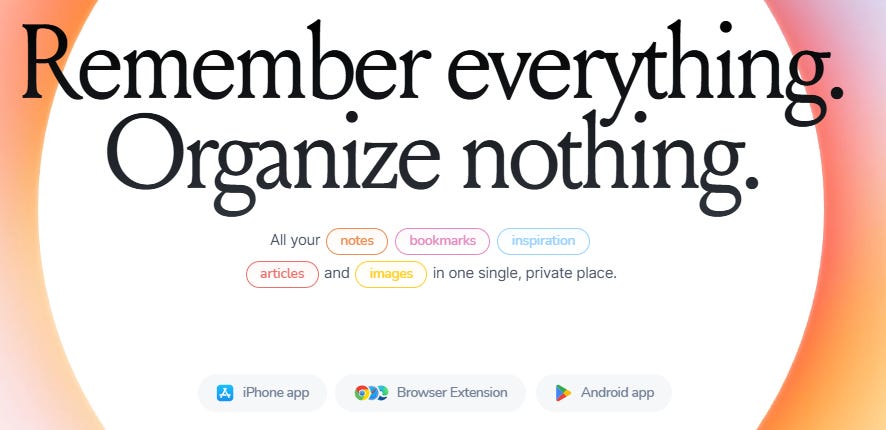
Mymind: Mymind is a really visual app. If you save a lot of images and like to see things visually, I think there is no app better than Mymind. One of the things I love the most is that all of the different things I save into Mymind get different types, which means that if you save a book it will be a book type with its own style. The same goes for Substack notes, X posts, GitHub repos, images, products and notes, to mention some. Mymind can also work as a read-it-later app with a dedicated reading mode, if you are on the highest paid tier.
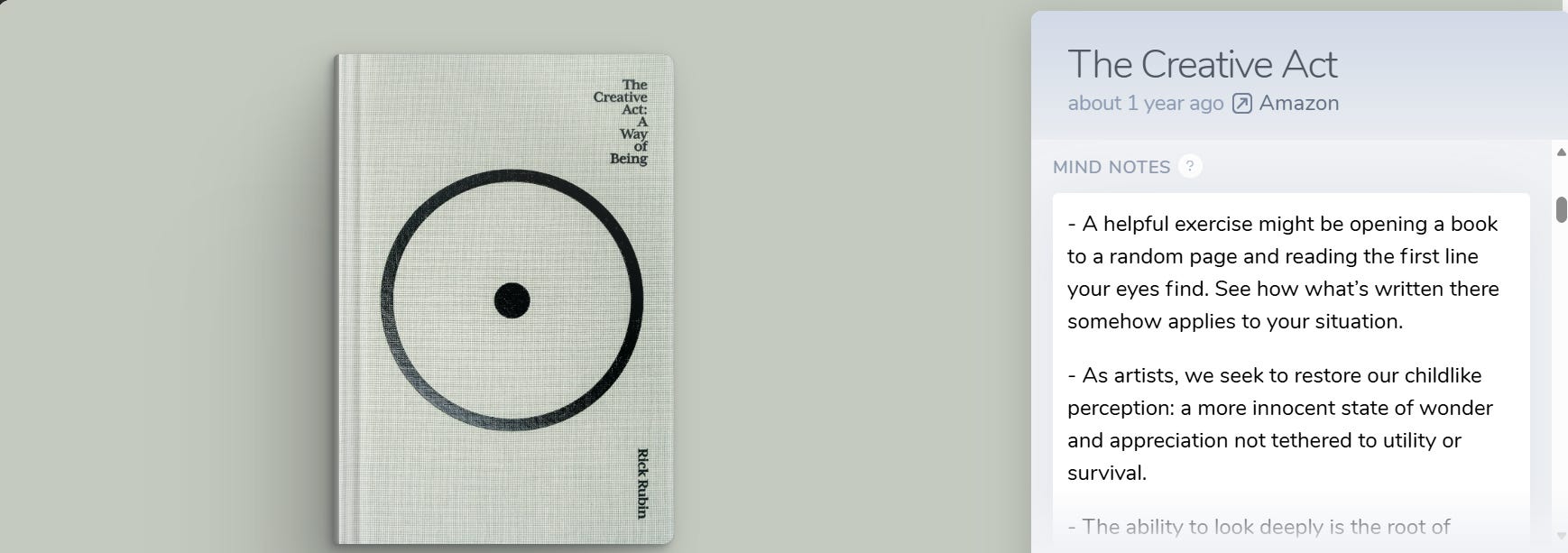
When I used Mymind the thing I used the most was the web clipper. I clipped a lot of stuff with the web clipper and got it added to Mymind. Mymind would use AI to auto-tag things for me. At this point AI is really good at that, so it gets things right most of the time. This means that instead of spending time organising things, I can instead spend the time going through my notes and clippings and try to find connections. This is much easier now that you can use backlinks inside of Mymind. These are wikilinks similar to what you see on Wikipedia, and it allows you to connect one idea or item to another. Mymind also has something called Mindnotes, which is a note-taking box on the right side of any item. There you can, for example, write about why you saved something, but what I really like about it is that it is a full-fledged note-taking feature. Anything you can do in the regular note editor, you can do in the Mindnotes editor as well. I have used this to add tasks, to remember why I have written something down or saved something, or I have used it to write my own thoughts when, for example, I have saved quotes. I also use Mindnotes in the book type to write book notes and reviews, which is my favourite way of using Mindnotes.
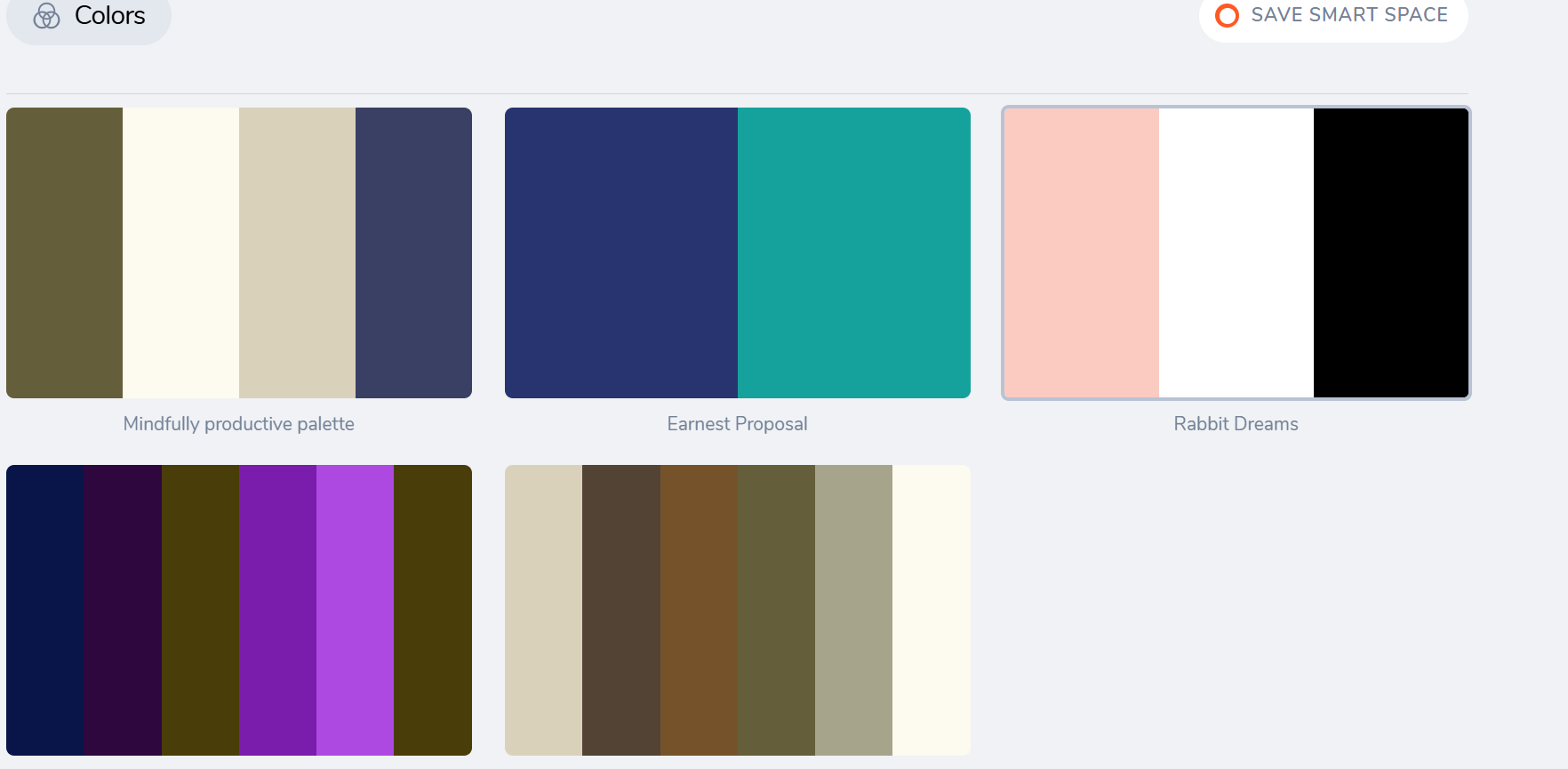
I am a big fan of the spaces in Mymind. Spaces are the only real way of organising. I have used smart spaces a lot for my projects. The way smart spaces work is that I can create a search query, for example #youtube and #thumbnail or #blue, and save that search as a smart space. If I add those tags to an item they automatically appear in my space. I used that mostly for design projects and also for YouTube video ideas, but they are actually really versatile.
Another one of my favourite features is the serendipity feature in Mymind. If you are a note taker like me, you might have experienced adding a lot of notes to your note-taking app and never seeing them again. That is what the serendipity feature helps to solve. Whenever I had a few minutes I would open up the Mymind app and start the serendipity feature. The way it works is that it resurfaces things you have saved and you can choose to keep it or forget it (delete it). It is a great way to come back to old ideas. What I like about it is just how calming it feels, and that goes for the whole application too. The overall experience of using the app is one of calmness. Mymind really helps with slowing me down.
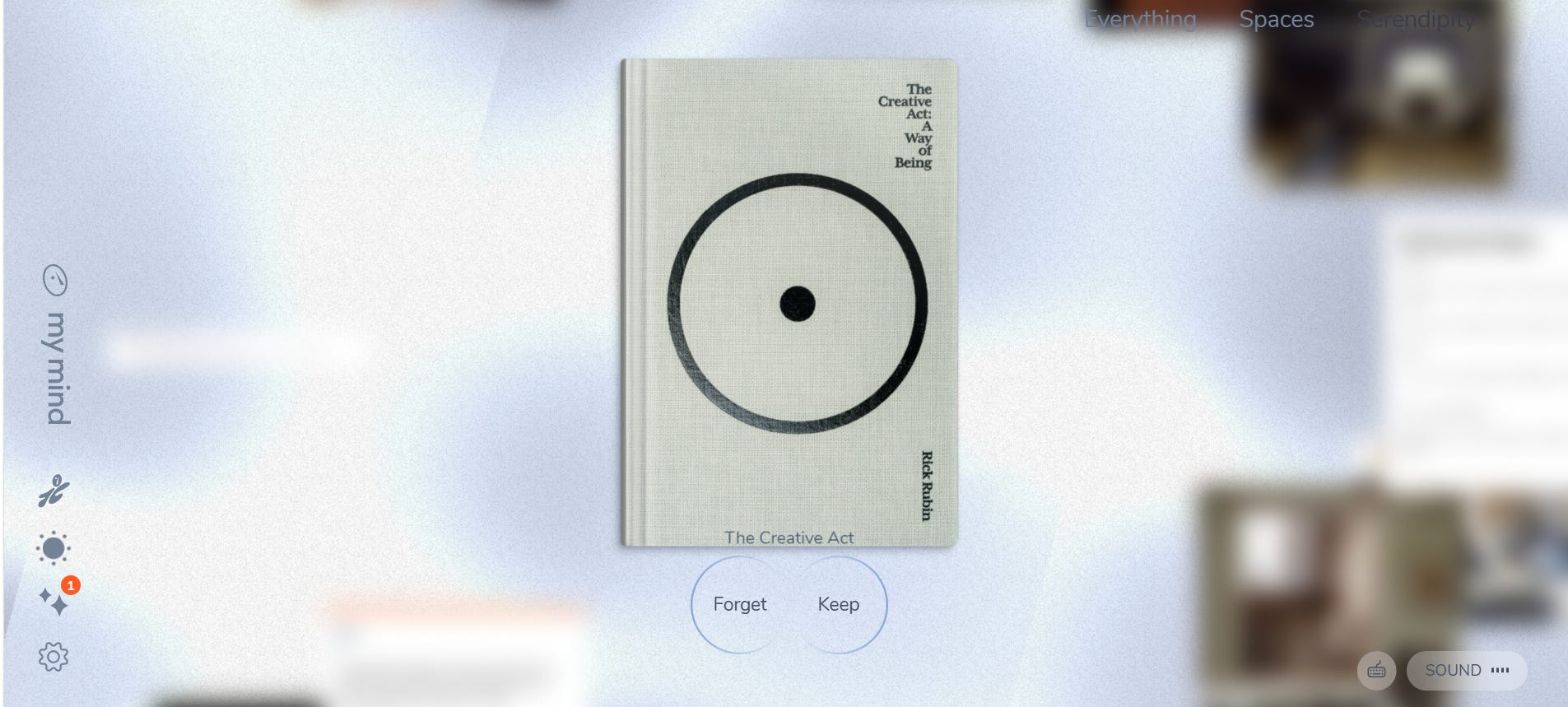
The thing I dislike about Mymind is that there is no collaboration feature. I can not easily share something with someone else. The only way is the private share link, which allows you to share a post for 24 hours. After 24 hours it goes back to being private and just for me. Mymind is private by design because the founders believe that it needs to be private and just for you, so you do not curate for anyone else. The app is supposed to be a place where you just curate for yourself, and the founders believe that it can only happen if you are not able to share with anyone else. I agree with their philosophy, but it means that you will need another app if you are going to collaborate with others.
Mymind is adding API which allows you to connect it to other apps, but I have not tested that yet.
Sublime: Sublime has been an app I have mainly been using like a digital commonplace book. Instead of adding my own thoughts and ideas, it has mainly been ideas from others. Sublime organises things into collections. I have used the collections for my blog posts and YouTube videos. For example, I have one called “daily planner rankings,” where I have added all the interesting daily planners I want to review. I also have a collection called “productivity apps,” where I have all of the apps I have reviewed, and I organise them on a whiteboard.
The whiteboards are my favourite feature in Sublime. This is just a tldraw whiteboard, so basically a really basic whiteboard feature. If you have tested something like Milanote or Miro, this is not that. This is more of a way to take your collections and the things you have saved into your Sublime and turn it into something more visual. However, even though the feature feels and is really basic, it turns the app from a digital storage place to somewhere you can do your thinking. Apps like Sublime (bookmarking apps) really easily just become dumping grounds for notes, thoughts and ideas, but with the whiteboards you are forced to revisit ideas.
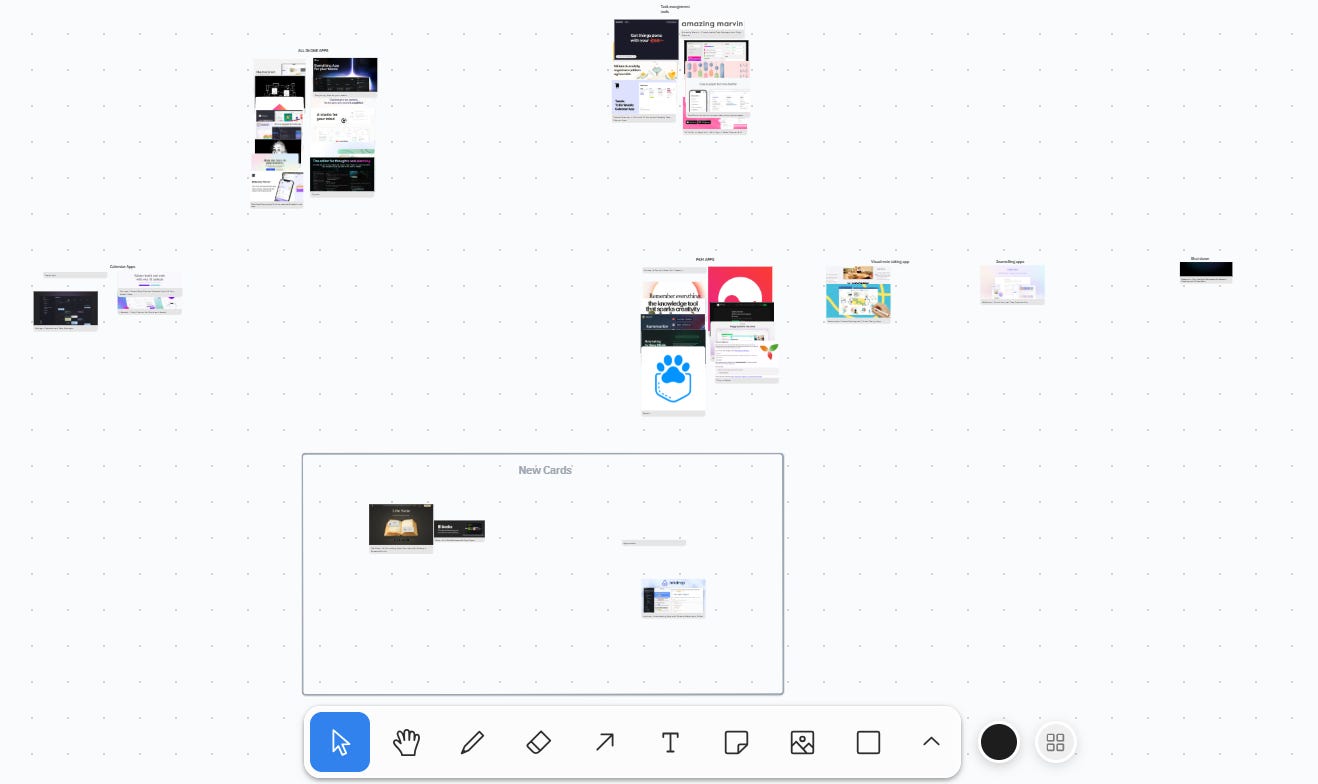
The whiteboard combined with the amazing search was what got me. I could go into a whiteboard and start putting my ideas together, connecting different quotes and things I have read. But sometimes I might have felt like there was something lacking. I might have had three note cards that almost were enough for my blog post or YouTube video, but I needed a couple more cards. That is when the search came in. You can use natural language to search for new ideas, not only in your own library, but in the whole Sublime library. You can go through what everyone else has saved to their library and add that to your own library or to your whiteboard.
The related engine was also one of my favourite features. This is basically the same thing I described, where you can peek into everyone else’s library, but this is at the card level. When you click on a card you can see related cards to the card you are on. You can filter to only see related cards in your library or related cards from everyone else too.
I rarely shared a lot of my cards. You can decide if you want cards to be public or private, and if they are public, other people can see your cards and add them to their library. The way I think about it is that I will share a collection or a set of cards when I feel like the idea is fully built and ready. As long as the idea is not developed I will keep it private, but once it is developed I can share it. Unless the cards are too personal, for example, I have a collection with my own designs, things I have designed for social media, that I will keep private because it feels personal. But I really love the fact that I can share my ideas and that we can build a shared knowledge graph. This is probably the thing that makes Sublime the most special.
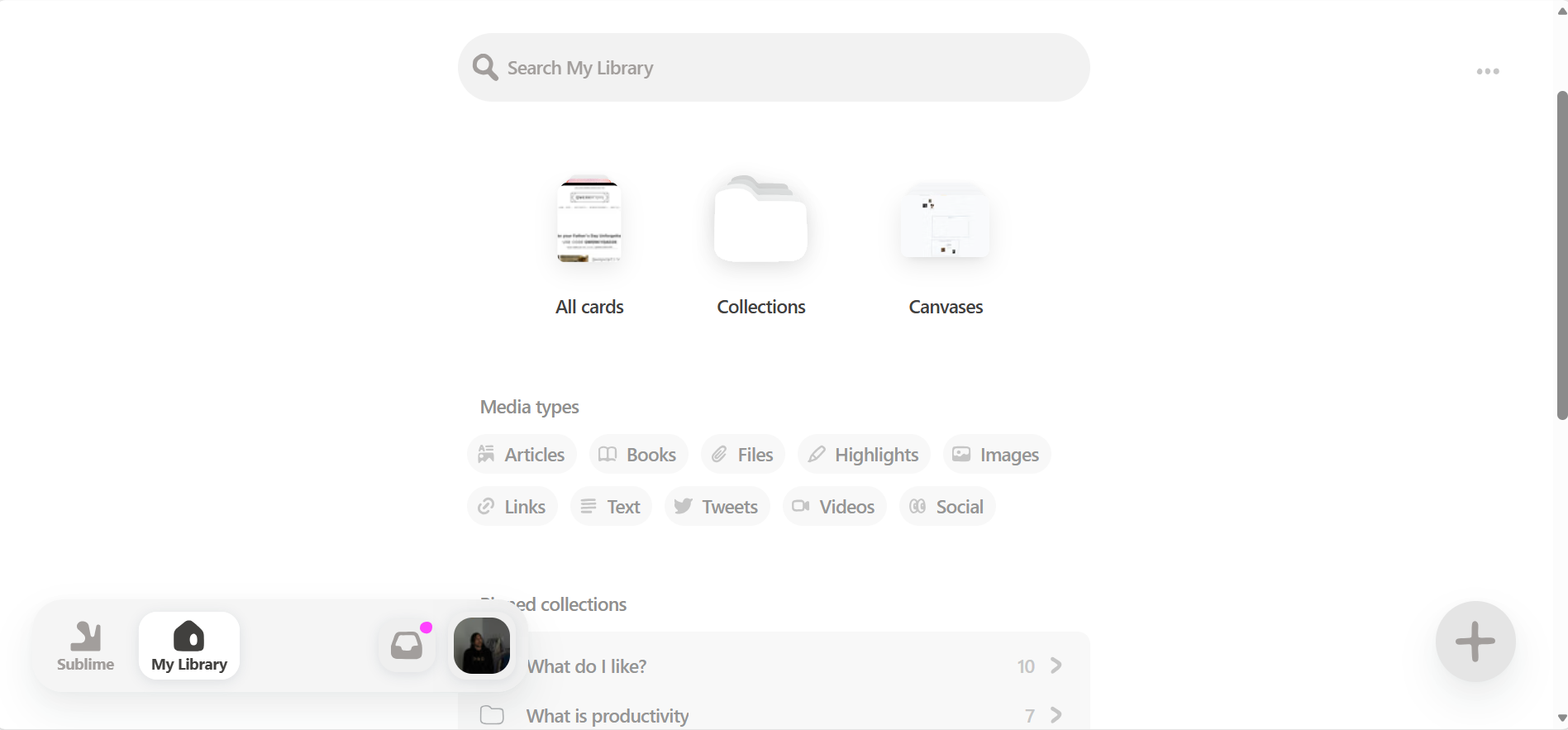
I should also mention that there is a new version of Sublime out. This is Sublime 2.0, and I have tested it a little but not enough to give my full opinion on it. There is a change in the user interface, and they now have a feature where Sublime, just like Mymind, will differentiate between different types. It does not support as many types as Mymind, but it is still interesting. I will at some point write more in depth about this new Sublime.
